To install Gillish Cairnstone, open Plugins → Add New → Upload Plugin in your WordPress admin, choose the gillish-cairnstone.zip file, upload it, and click Activate. You then find Cairnstone in the left admin menu. You need WordPress 6.9 and PHP 8.3 or newer.
Before you start
Cairnstone needs WordPress 6.9 or newer and PHP 8.3 or newer. On an older setup the plugin will not switch on. It shows a short notice instead, so nothing breaks. Cairnstone runs fine on PHP up to 8.5 and recent WordPress 7.0 builds.
Install Cairnstone
Cairnstone will be on the WordPress.org plugin directory once version 3.0 launches. Until then you get it as a zip file from Gillish. The steps are the same either way:
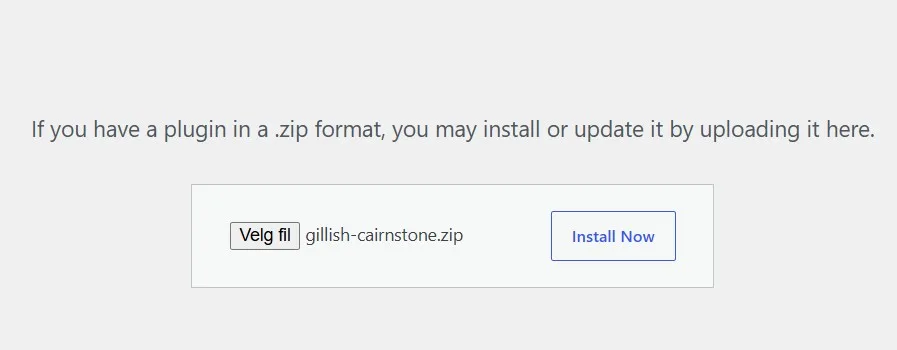
- In your WordPress admin, open Plugins → Add New → Upload Plugin.
- Choose the
gillish-cairnstone.zipfile and upload it. - Click Install Now, then Activate.
Find Cairnstone after you activate it
Look for Cairnstone in the left menu of your WordPress admin. That is where you build blocks, change settings, and open the block library.
Works on its own, better with Gillish Node
Cairnstone runs on its own. One feature needs a partner: the visitor-country rule in Conditional Content gets the country from Gillish Node. So if you want to show content by country, install and activate Gillish Node too. Everything else works without it.
Common questions
Is Gillish Cairnstone free?
Yes. The block library and Conditional Content are free. A few extra blocks and controls are part of Cairnstone Pro.
Do I need Gillish Node as well?
Only for country rules in Conditional Content. Every other feature works with Cairnstone on its own.
What WordPress and PHP version do I need?
WordPress 6.9 or newer and PHP 8.3 or newer. On older setups the plugin will not switch on, and shows a short notice instead.
Where do I find Cairnstone after I activate it?
In the left menu of your WordPress admin, under Cairnstone.